Suno
Suno - AI Audio & Music AI工具使用教程与评测
FreemiumSuno is a leading AI music generation tool that creates complete songs from text descriptions, including vocals, melody, arrangement, and lyrics. Supporting diverse music styles, it enables anyone to easily create professional-quality music.
Overview
Suno Overview
Suno is one of the world's most popular AI music generation platforms, developed by Suno AI and headquartered in Cambridge, Massachusetts, USA. Suno enables anyone to create complete songs from simple text descriptions — including vocal performance, melody, arrangement, and lyrics.
Suno's core philosophy is "making music creation accessible to everyone" — no music theory knowledge or instrument skills required. Users simply describe the desired music style, emotion, or theme, and Suno generates a complete song within seconds.
Suno supports virtually all music genres from pop, rock, hip-hop, and electronic to classical and folk. The quality of generated music is remarkable, and it has been used by millions of users for personal creation, content soundtracks, and entertainment.
Core Features
Core Features
- Text-to-Song: Input style descriptions or lyric prompts — AI generates complete songs (with vocals, melody, arrangement)
- Custom Lyrics: Input your own lyrics and AI composes and performs them
- Style Control: Specify music style via tags or descriptions (pop, rock, jazz, electronic, classical, etc.)
- Song Extension: Extend already-generated songs to create longer musical works
- Remix/Variations: Generate style variations based on existing songs
- Instrumental Mode: Generate vocal-free instrumental background music
- Album Cover: AI automatically generates matching album cover artwork
- Community Sharing: Share and discover other users' creations on the Suno platform
- Commercial License: Paid plans include commercial use licensing
How to Use
How to Use
Getting Started
- Visit suno.com and sign up (Google, Discord login supported)
- Enter a music description on the creation page (style + emotion + theme)
- Click "Create" to generate a song
- Listen, download, or continue editing
Creation Tips
- Style description: "upbeat pop song about summer vacation"
- Emotional description: "melancholic indie folk, rainy day vibes"
- Specify instruments: "acoustic guitar, piano, soft drums"
- Specify vocals: "female vocalist, smooth R&B style"
- Be specific: More detailed descriptions yield better results
Custom Lyrics Mode
- Enable "Custom Mode"
- Enter your own lyrics in the lyrics box
- Describe the music style in the style box
- Generate — AI composes and performs your lyrics
Extending a Song
- Select an already-generated song
- Click "Extend"
- Optional: add new lyrics or style descriptions
- Generate the continuation
Key Advantages
Key Advantages
- Complete Song Generation: Not just melodies — full songs with vocal performance at remarkable quality
- Extremely Low Barrier: No music knowledge required — anyone can create
- Style Diversity: Supports virtually all music genres from pop to classical to electronic
- Fast Generation: Complete songs typically generated in 10-30 seconds
- Community Ecosystem: Active creator community for discovering and sharing music
- Rapid Iteration: Fast progression from v2 to v4 with dramatically improved music quality
- Commercial Licensing: Paid users receive commercial use rights
- Multi-Language Lyrics: Supports lyrics in Chinese, English, Japanese, Korean, and more
Pricing
Pricing
Basic (Free)
- $0/month
- 50 credits/day (~10 songs)
- Non-commercial use only
- Songs shared publicly
Pro Plan
- $10/month (billed annually) or $8/month
- 2,500 credits/month (~500 songs)
- Commercial use license
- Priority generation queue
- Songs can be set to private
Premier Plan
- $30/month (billed annually) or $24/month
- 10,000 credits/month (~2,000 songs)
- Commercial use license
- Highest priority queue
- All advanced features
Full pricing: suno.com/pricing
Get Help
Support & Resources
- Official Site: suno.com
- Help Center: help.suno.com
- Discord Community: Suno official Discord for help and inspiration
- Twitter/X: @suno_ai_
- Instagram: @suno.ai
- Blog: suno.com/blog
- Contact Support: Via Help Center or Discord
Download Client
Download & Access
- Web App: Visit suno.com — sign up and start immediately, no installation needed
- Mobile App: iOS app available for creating and listening on mobile
- Sign Up: Google, Discord, and Apple account login supported
- Audio Download: Generated songs downloadable as MP3 (watermark-free for paid users)
Other Info
Additional Information
- Company: Suno AI, Cambridge, Massachusetts, USA — founded 2022
- Model Versions: v1, v2, v3, v4 (continuously iterating with major quality improvements)
- User Base: Millions of active users
- Copyright: Paid users have commercial rights to generated music; free users limited to non-commercial use
- Legal: Record labels have filed lawsuits over AI music copyright — Suno is addressing related legal challenges
- Competitors: Udio, Stable Audio, MusicGen, and other AI music tools
- Use Cases: Personal creation, content soundtracks, social media, game audio, advertising background music, entertainment
- Language Support: Multi-language lyrics including Chinese, English, Japanese, Korean, and more
Related Tools
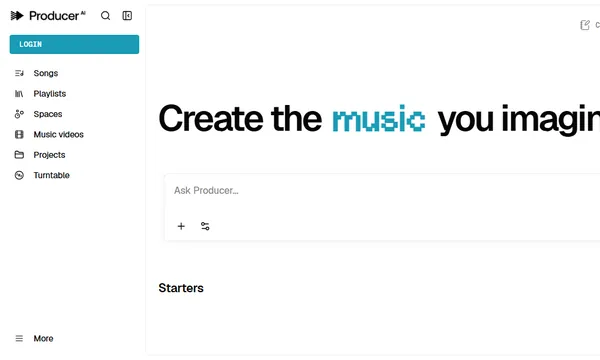
 Producer.ai