

Windsurf
Windsurf - AI Programming AI工具使用教程与评测
FreeWindsurf (formerly Codeium) is an AI-native code editor known for its intuitive AI programming experience. Features Cascade AI engine, code memories, custom rules, and MCP integration. Ideal for developers seeking efficient coding workflows.
Overview
Windsurf (formerly Codeium) is an AI-native code editor dedicated to providing the most intuitive AI programming experience. At the heart of Windsurf is the Cascade AI engine, which deeply understands code context and delivers precise code completions and intelligent suggestions. Unlike its predecessor, Windsurf is not just a code completion tool but a complete AI programming environment. It features code memories to remember important project information and developer preferences; custom rules to define team coding standards that AI automatically follows; and MCP (Model Context Protocol) support to connect external services like Figma, Slack, Stripe, and more. Windsurf offers a seamless inline editing experience where AI suggestions are embedded directly in your code, accepted with a Tab key press. Over 1 million developers worldwide use Windsurf, including startups, agencies, and enterprise teams.
Core Features
Cascade AI Engine
The core AI capability of Windsurf, providing context-aware code completion, multi-file editing, and intelligent suggestions. Cascade analyzes the entire project structure and understands code dependencies.
Code Memories
Windsurf automatically remembers important project information such as architecture design, coding standards, and common patterns. AI applies these memories in subsequent work to maintain consistency.
Custom Rules
Define project or team coding rules such as "frontend uses TypeScript" or "all functions must have type annotations." AI automatically follows these rules when generating code.
MCP Integration
Supports the Model Context Protocol standard for one-click connections to external services like Figma, Slack, Stripe, PostgreSQL, and more, extending AI capabilities.
Drag-and-Drop Image Generation
Drag design mockup images into the editor and Cascade will automatically analyze and generate corresponding frontend code, supporting multiple UI frameworks.
Terminal Command Intelligence
Use the ⌘I shortcut to summon the terminal command assistant for quickly querying and generating complex terminal commands without leaving the editor.
How to Use
- Visit Windsurf and click "Download the Windsurf Editor" to install.
- After installation, launch Windsurf and sign up using GitHub or email on first use.
- Open or create a project. Windsurf will automatically start indexing the codebase.
- While editing code, AI automatically provides inline completion suggestions. Press Tab to accept.
- Use ⌘K to open the AI dialog and enter "Create a user login component with email validation."
- Use ⌘I for inline editing: select code and have AI modify specific parts.
- Configure memories and rules in Settings → Cascade to help AI remember project-specific information.
- Add external service integrations in Settings → MCP, such as connecting Figma for design files.
Key Advantages
Intuitive AI Experience
Windsurf's AI suggestions are embedded directly into the code editing flow without switching to chat windows. Inline completion, auto-fix, and other features make programming more fluid.
Deep Context Understanding
Cascade AI understands not just the current file but the entire project structure and dependencies, delivering cross-file精准 suggestions.
Flexible Memory System
Can remember project architecture, coding habits, team norms, and more. AI automatically applies this information in subsequent work, reducing repetitive explanations.
Open Extension Capability
Connect various external tools through the MCP protocol, enabling AI to access design files, databases, API documentation, and more for comprehensive support.
Enterprise Features
Provides team rules, shared memories, usage analytics, and other enterprise features to help teams unify code style and improve collaboration efficiency.
Pricing
| Plan | Price | Key Features | Target Users |
|---|---|---|---|
| Free | $0/month | Basic code completion, limited AI suggestions, personal use | Beginners and individual developers |
| Pro | $15/month | Unlimited code completion, advanced AI features, priority support | Professional developers |
| Teams | $30/user/month | Shared rules and memories, team analytics, management console | Development teams |
| Enterprise | Contact sales | Private deployment, SSO, audit logs, dedicated support | Large enterprises |
Annual billing available with 20% discount. Pro plan includes 14-day free trial. Prices subject to official website.
FAQ
Get Help
Official Documentation
Visit Windsurf Documentation for detailed installation guides, feature explanations, and best practices.
Community Support
Join Windsurf Discord to exchange tips and experiences with other developers.
Email Support
Contact technical support at support@codeium.com. Responses typically within 24 hours.
Video Tutorials
Follow Windsurf's official YouTube channel for the latest feature demos and tutorials.
Download Client
Client Downloads
- Windows Client — Supports Windows 10/11
- macOS Client — Supports macOS 12+, includes Apple Silicon
- Linux Client — Supports Ubuntu, Debian, etc.
- VS Code Extension — Install from VS Code Marketplace
- JetBrains Plugin — Supports IntelliJ, PyCharm, etc.
The standalone editor and extensions offer similar functionality. Choose based on your preferences.
Other Info
Related Tools
- Cursor — AI-first code editor built on VS Code
- Claude Code — AI programming agent from Anthropic
- Tongyi Lingma — AI programming assistant from Alibaba Cloud
Learning Resources
Related Tools
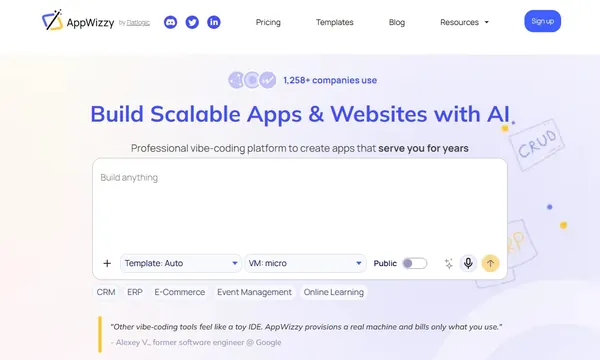
 AppWizzy
 YouWare


 Browse AI