
Nano Imagine
Nano Imagine - AI Image Generation AI工具使用教程与评测
FreemiumNano Imagine is an online AI image generator that creates images from text prompts. Features image editing, upscaling, and background removal with multiple style templates and 4K resolution output for designers and creators.
Overview
Nano Imagine is a powerful online AI image generation tool that uses Nano Banana and Nano Banana Pro AI models to quickly generate high-quality images from text descriptions. The platform supports 10-second fast generation, multiple style templates, and 4K resolution output, along with image editing, upscaling, and background removal tools. Whether you're a professional designer or casual user, you can easily create studio-quality images. The platform supports multiple languages including Chinese, and new users receive 880 free credits upon registration.
Core Features
AI Image Generation
Supports Nano Banana and Nano Banana Pro models - the former is fast and simple, the latter offers sharper details and professional lighting effects. Generate high-quality images from text descriptions with multiple style templates.
Multiple Aspect Ratios & Resolutions
Supports 1:1, 16:9, 9:16, 4:3, 3:4 and other aspect ratios with 1K, 2K, and 4K resolution options to meet different use case requirements.
AI Image Editing
Online image editing features for further adjustment and optimization of generated images, including style transfer and detail modifications.
AI Image Upscaling
Use AI technology to upscale images to higher resolutions while maintaining clarity and detail, perfect for printing and large display use.
Background Removal
One-click background removal for transparent background images, ideal for product display and composite design.
Batch Generation
Support for batch generation to create multiple images at once, improving efficiency for users who need large amounts of material.
Watermark-free Export
Generated images are watermark-free, supporting PNG, JPG, WebP and other formats for direct commercial use.
How to Use
- Visit Nano Imagine website and sign up with email or Google.
- New users receive 880 credits - check your balance on the credits page.
- Enter your image description in the prompt box - reference example prompts for guidance.
- Select model version (Nano Banana or Nano Banana Pro), aspect ratio, and resolution.
- Click generate and wait for AI processing, usually completed within 10 seconds.
- Preview the result and download if satisfied. Continue editing or regenerate to adjust effects.
Key Advantages
10-Second Fast Generation
Optimized AI models enable extremely fast image generation, typically within 10 seconds, significantly improving creative efficiency.
Dual Model Selection
Nano Banana for quick creation, Nano Banana Pro for higher quality output - meet different scenario needs.
Multi-language Support
Platform supports Chinese, English, Japanese, Korean, and 8 other languages with user-friendly interface and multi-language prompt input.
High-resolution Output
Support up to 4K resolution output with studio-quality images suitable for professional use.
Free Credits
New users get 880 free credits upon registration, enough for approximately 88 standard images to fully experience the platform.
Commercial License
Paid users can use generated content commercially with no copyright concerns, ideal for businesses and creators.
Pricing
| Plan | Price | Credits/Month | Main Features | Best For |
|---|---|---|---|---|
| Basic | $9.99/month | 2000 | 200 images/month, standard speed, PNG/JPG | Beginners |
| Standard | $15.99/month | 4000 | 400 images/month, priority speed, more formats | Designers |
| Pro | $31.99/month | 10000 | 1000 images/month, fastest speed, all features | Teams/Studio |
Save up to 52% with annual billing. Visit Nano Imagine pricing page for current rates.
FAQ
Get Help
- Help Center: Visit the website for FAQs
- Email Support: support@nanoimagine.art
- Account Management: Visit accounts.nanoimagine.art to manage your account
- Blog: Read nanoimagine.art/blog for usage tips
Other Info
Related Tools
- Midjourney — Popular AI image generator with excellent artistic results
- Stable Diffusion — Open-source AI image generation model
Related Tools
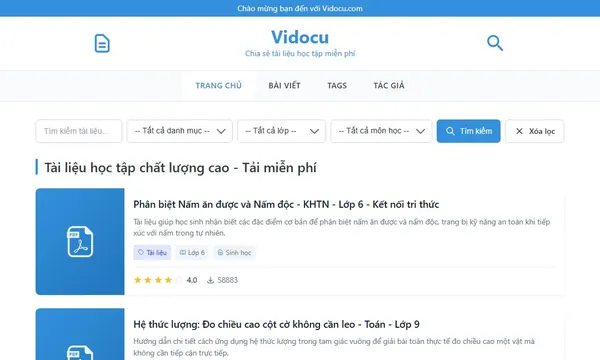
 Vidocu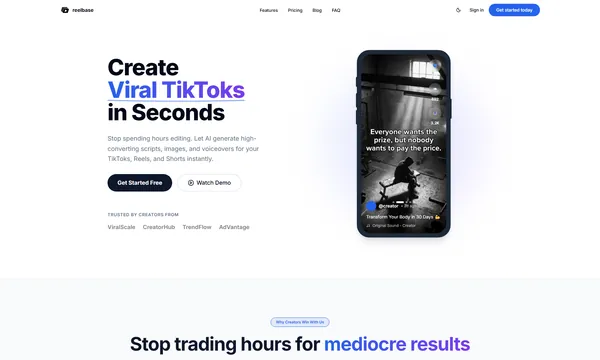
 ReelBase

 Ad Suite AI