Immersive Translate
Immersive Translate - AI Translation AI工具使用教程与评测
FreemiumImmersive Translate is a next-gen AI translator supporting bilingual web translation, PDF, video subtitles, and images. Integrates 20+ engines (ChatGPT, DeepL, DeepSeek). 10M+ Chrome users. Ideal for reading foreign content and language learning.
Overview
Immersive Translate is a next-generation AI-powered translation tool, positioned as the "Next-Gen AI Translator". Its signature feature is bilingual web translation, displaying original and translated text side-by-side on any webpage, with paragraph/line comparison modes. Integrates 20+ translation engines including ChatGPT, DeepL, DeepSeek, and Gemini, allowing user choice. Beyond web translation, supports PDF translation (preserving layout), video subtitle translation (YouTube, Netflix), image/manga translation, and EPUB e-book translation. With 10M+ Chrome extension users, awarded Chrome 2024 Featured AI Translation Extension. Free to use with cross-platform support (Chrome, Edge, Firefox, Safari, iOS, Android).
Core Features
Bilingual Web Translation
Side-by-side original and translated text on any webpage, supporting paragraph/line comparison, hover word lookup without disrupting browsing.
PDF Document Translation
Upload PDF files with preserved layout, charts, and formulas after translation, supporting batch processing and custom glossaries.
Video Subtitle Translation
Translate subtitles for YouTube, Netflix, Coursera videos with bilingual display for language learning.
Image/Manga Translation
OCR text recognition and translation for images, supporting comics, screenshots, menus while preserving original style.
EPUB E-book Translation
Import EPUB files and export bilingual versions, ideal for reading foreign novels and textbooks.
20+ Translation Engines
Built-in engines (ChatGPT, DeepL, DeepSeek, Gemini, Youdao, Baidu, etc.) with free switching and comparison.
Custom Translation Rules
Set preferences for specific websites/domains, create terminology databases for improved accuracy.
Cross-Platform Sync
Available on Chrome, Edge, Firefox, Safari browsers, iOS/Android mobile apps with account sync.
How to Use
Visit official website or search "Immersive Translate" in Chrome/Edge Web Store.
Click browser toolbar icon after installation, login (optional).
When browsing foreign webpages, click icon or use shortcut (Alt+C) to translate.
In settings, select translation engine (ChatGPT, DeepL), comparison mode (paragraph/line), target language.
PDF translation: Drag files to extension window or visit Document Translation.
Video subtitles: Click translate button on YouTube/Netflix pages for automatic bilingual display.
Mobile: Download from App Store/Google Play, import files or browse webpages.
Key Advantages
Exclusive Bilingual Experience
Industry-leading side-by-side display technology for improved reading comprehension, ideal for language learners.
20+ Engines to Choose From
Not bound to a single engine; choose ChatGPT, DeepL, or compare multiple engines' quality.
Completely Free
Core features (web, PDF, video subtitles) are永久 free with no limits; advanced engines require user API keys.
Trusted by 10M+ Users
10M+ Chrome extension users, awarded 2024 Featured AI Extension, 4.9/5 user rating.
Active Development
Monthly feature updates, responsive to user feedback and community suggestions, partially open-source.
Pricing
| Plan | Price | Key Features | For |
|---|---|---|---|
| Free | ¥0/month | Web/PDF/video translation with free engines | All users |
| Pro | ¥15/month | Unlimited ChatGPT/DeepL, priority queue | Heavy users |
| Annual | ¥150/year | Pro features, 17% discount | Long-term users |
Some engines require user-provided API keys (e.g., ChatGPT), see Pricing.
FAQ
Get Help
Support Channels
- Help Center: https://immersivetranslate.com/learn — Tutorials and tips
- Email: support@immersivetranslate.com, response within 48 hours
- Community: GitHub Discussions
- Bug Reports: GitHub Issues
Download Client
Download Clients
- Chrome Extension — 10M+ users, Chrome 2024 Featured
- Edge Extension
- Firefox Extension
- Safari Extension
- iOS App — iOS 14+
- Android App — APK from official site
Other Info
Related Tools
- DeepL — AI-powered translation for documents and voice
- Youdao Translate — NetEase's multilingual translation tool
- GitHub Copilot — AI coding assistant with multi-language support
Related Tools

 Transor AI Translator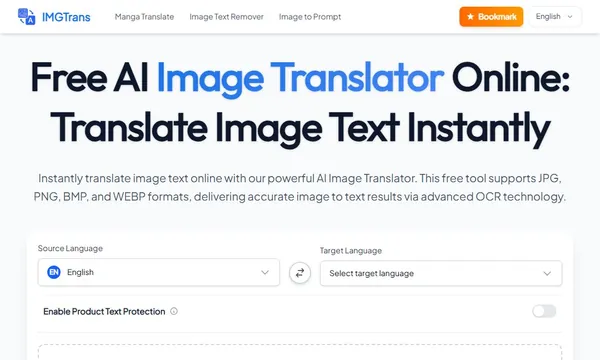

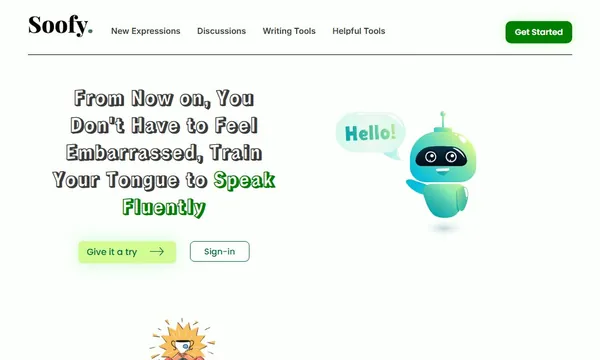
 Soofy
Soofy